AI Purchase Order Extraction: Eliminating Manual Order Entry
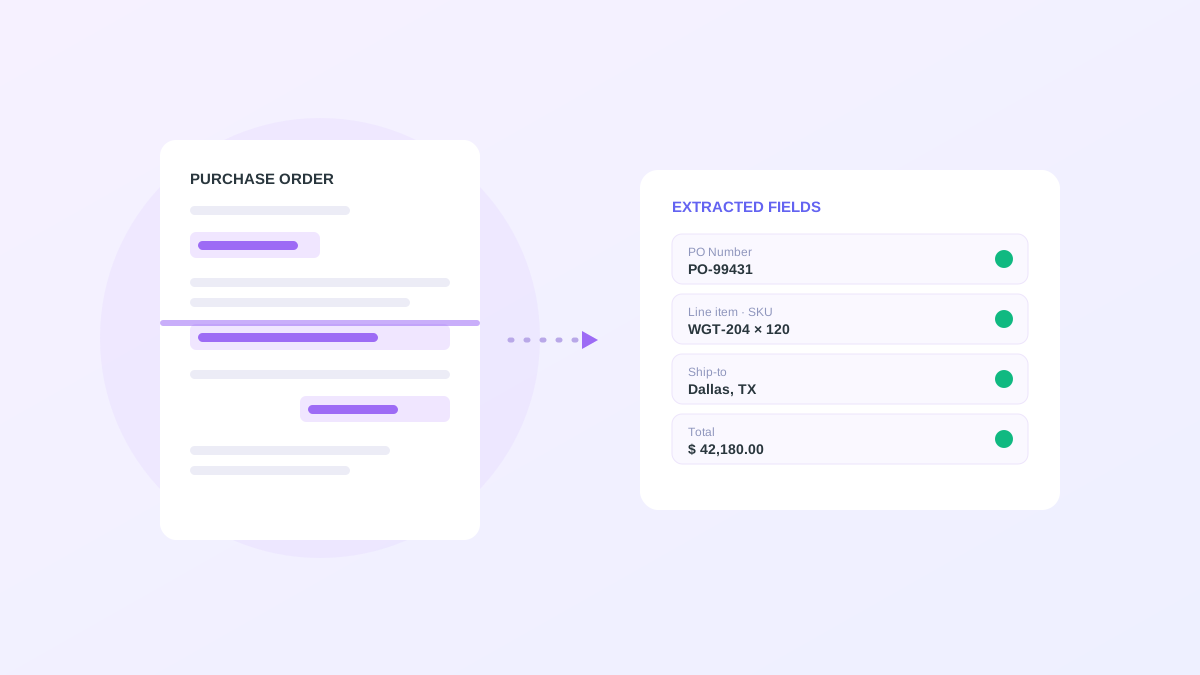
Purchase order extraction is the step where an inbound order document becomes structured data your ERP can use. It is the chokepoint of B2B order intake, because until the PO is digitized, nothing downstream can happen. Fulfillment cannot pick, billing cannot invoice, and finance cannot forecast. Doing the extraction by hand is slow and introduces errors that haunt the rest of the cycle. AI extraction removes the keystrokes while keeping a human in control of the exceptions. This article explains how it works, why it outperforms template OCR, and what separates a robust implementation from a fragile one.
The problem with manual order entry
When a PO arrives as a PDF or in the body of an email, someone reads the line items, looks up each SKU, checks pricing against the contract, confirms the ship-to address, and types a sales order into the ERP. The work is tedious and it does not scale during demand spikes, when order volume climbs faster than the team can key.
A single mistyped quantity becomes a short shipment, a customer complaint, and a deduction at payment time, so one keystroke error is paid for three times across the cycle. Order entry is also a retention risk. Skilled operations people do not want to spend their day re-keying documents, and that is exactly the work automation handles better than a person.
How AI extraction works
AI extraction combines optical character recognition with natural language understanding. OCR turns the pixels of a scanned or digital document into text. The language model then interprets what that text means in context. It recognizes that a value is a quantity, a SKU, or a payment term based on meaning rather than position, then maps each field to your catalog and customer master.
Every extracted field comes back with a confidence score and a link to its location in the source document. A reviewer can verify a flagged value in one glance instead of reading the whole PO, which is what makes the human-in-the-loop step fast enough to scale.
- OCR plus language understanding, not coordinate templates
- Field-level confidence scores on every value
- Source-document traceability for audit and review
- Mapping to your SKUs, business partners, and price lists
Why it beats template OCR
Template OCR reads values from fixed positions, so it breaks the moment a customer changes their layout, adds a column, or sends a slightly skewed scan. Maintaining a template for every customer format is a treadmill that never ends, and a long tail of low-volume customers makes it impossible to keep up.
AI extraction is layout-agnostic. Because it reads meaning rather than coordinates, it handles new formats without a developer building anything, and it improves as it sees more of your documents. That resilience is what makes automation viable across hundreds of differently formatted orders rather than only your top few customers.
Confidence scoring keeps the ERP clean
The purpose of automation is to push the right orders through quickly, not to push everything through. High-confidence orders that pass validation advance to approval automatically. Anything below your confidence threshold, or anything that fails a guardrail such as a non-catalog item or an out-of-band price, routes to a review queue with the uncertain fields highlighted.
This is how you get speed and safety together. The model is fast, and the guardrails and confidence thresholds keep bad data out of the system of record. You tune the thresholds to your own risk tolerance, raising automation as the model proves itself on your documents.
What to measure during a pilot
Track the extraction accuracy on the fields that matter most, usually SKU, quantity, and price, because those drive fulfillment and billing. Watch the straight-through rate to see how many orders advance without a human, and the exception rate to see how often the queue is used and why.
Pay attention to the reasons orders are flagged. A queue full of new ship-to addresses means your customer master needs attention. A queue full of price mismatches means your contract data is out of date. The exceptions tell you where to fix the underlying data, which raises automation across the board.
What this looks like in OrderBridge
OrderBridge ingests POs from email and portal uploads, extracts and scores every field, validates against your data, and creates draft sales orders for approval. Low-confidence extractions land in a queue with the source document shown side by side, so a reviewer confirms or corrects in seconds.
Every run retains the original PO, the extracted fields, and the validation result, so the whole path from document to draft order is auditable. That record matters for compliance and for the steady improvement of the model, because the corrections your team makes become training signal for future orders.