Cash Application Automation: The Complete Guide
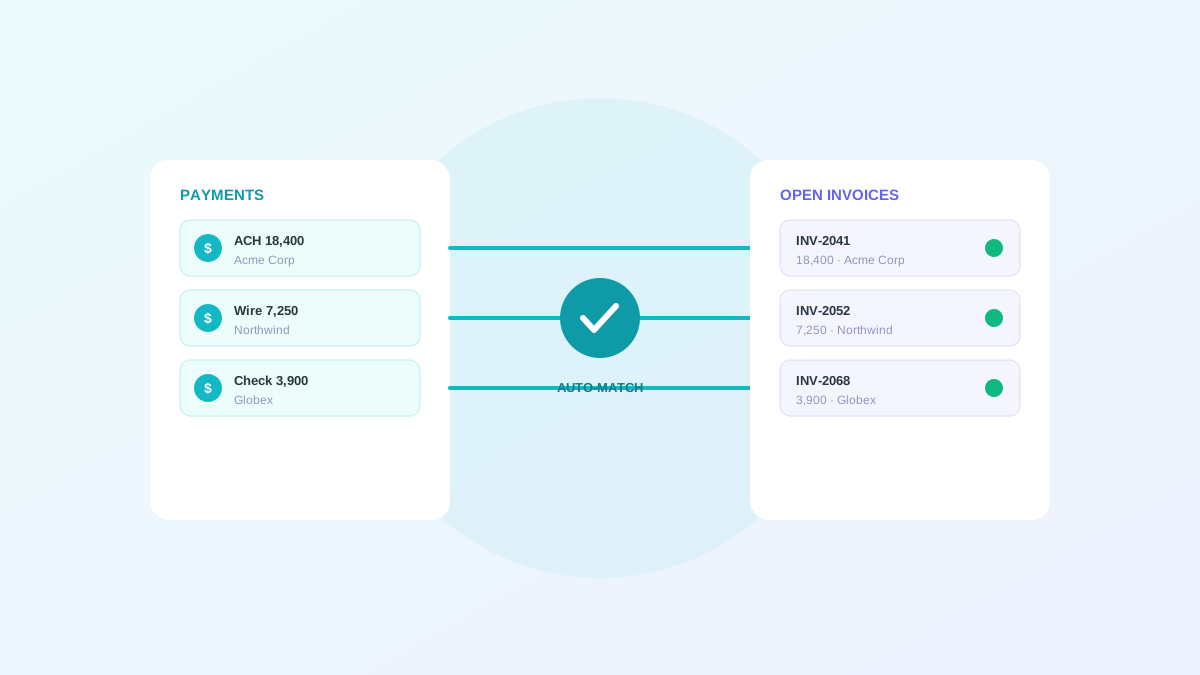
Cash application is the process of matching incoming payments to open invoices and posting them to the ledger. It sounds mechanical, and in many businesses it genuinely is hard. Payments arrive by ACH, wire, and check. Remittance detail that explains which invoices a payment covers often arrives separately, by email or as a PDF attachment. Customers pay twenty invoices with one payment, take deductions for damaged goods, and short pay for reasons nobody documented. Handled manually, cash application is slow, and it inflates DSO because cash sits unapplied while the invoices it covers still show as open. This guide covers how automation solves the problem, what results to expect, and how to roll it out without touching your ERP.
Why cash application is the best first automation
Cash application sits next to the ledger rather than inside it, which makes it low-risk to automate. You are not changing how the ERP records transactions. You are proposing matches that a person approves before anything posts. That adjacency is why finance teams who are cautious about automation often start here and build confidence before tackling deeper parts of the cycle.
The payoff is immediate and easy to measure. When payments post within hours instead of days, unapplied cash stops distorting your DSO and your receivables data becomes reliable enough to drive collections decisions. The improvement is visible in the very first close after go-live.
How automated matching works
Automation reconciles two separate signals. Bank files tell you how much money arrived and from whom. Remittance advices tell you which invoices the payment is meant to cover. The system pairs both against your open receivables, proposes a match, and routes anything ambiguous to an exception queue for a person to resolve.
The hard cases are the ones that justify the technology. A single payment covering twenty invoices has to be split across all of them. A deduction for a damaged shipment has to be recognized and coded so the remaining balance stays open. A customer reference number that does not match your invoice number has to be reconciled through fuzzy matching on amount, date, and customer. Good automation handles the clean majority straight through and gives a human the context to clear the rest quickly.
- Ingest bank files and remittance advices
- Match payments to open invoices automatically
- Handle one-to-many payments and partial payments
- Recognize and code deductions and short pays
- Route genuine exceptions to a review queue
What straight-through rates to expect
Manual cash application typically matches 60 to 75 percent of payments cleanly. Teams using AI-powered automation reach 85 to 95 percent straight-through processing once payment data, remittance capture, and matching rules are well configured. The 2026 benchmark for top performers sits above 90 percent touchless, with average days delinquent near six days.
Read these numbers by payment type and customer segment rather than as one blended figure. ACH with structured remittance will hit very high rates. Lockbox checks with handwritten memos will lag well behind. Reporting the breakdown tells you exactly where the remaining manual work lives and where the next improvement will come from.
The financial impact
Beyond speed, automated cash application lowers operating cost by eliminating manual data entry and reconciliation. The hours your team spends keying remittance detail and chasing match exceptions move to higher-value work such as resolving disputes and handling customer escalations.
Teams commonly see DSO drop 15 to 20 percent within the first year, driven mostly by removing the unapplied-cash drag. The reconciliation pass at month-end shrinks at the same time, because most cash is already applied before the close calendar even starts.
A practical rollout plan
Start with your top five customers by payment volume. Their remittance formats become the training signal that lifts match rates for the rest of the portfolio, and they usually represent a large share of total payments, so coverage climbs fast.
Run the automation in parallel with your current process for a few weeks. Compare the proposed matches against what your team actually posts, tune the rules where they diverge, and keep final approval in human hands until match quality is proven. Only then let approved matches sync to the ERP automatically.
- Begin with high-volume customers to maximize early coverage
- Run in parallel to validate match quality before go-live
- Keep approval with your team until rates stabilize
- Measure straight-through rate by payment type, not blended
- Feed exception corrections back to improve future matching
Handling the exceptions well
The exception queue is where automation earns or loses trust. A good queue shows the payment, the candidate invoices, the amount difference, and the likely reason for the gap, so a reviewer makes a decision in seconds. A poor queue dumps unmatched payments into a spreadsheet and leaves the analyst to investigate from scratch.
Treat the queue as a feedback loop. Every deduction reason you code and every fuzzy match you confirm teaches the system, so the queue gets shorter over time. The goal is a steadily shrinking pile of genuinely novel exceptions rather than the same recurring patterns appearing every week.
How Nudge does it without ERP changes
Alderstone's Nudge keeps your ERP as the system of record. It ingests bank files and remittances, proposes matches against open invoices, routes exceptions to a queue with the context a reviewer needs, and syncs approved matches back through the same connector layer OrderBridge uses for orders.
You get faster cash application and cleaner receivables without a rip-and-replace project. The ERP keeps recording balances exactly as it does today, while Nudge removes the manual matching work that sits in front of it.